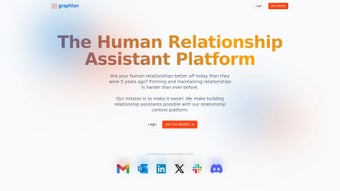

Download Graphlan – AI‑Driven Connection Sharing Platform for Teams
Intro
In modern workplaces, information is abundant but the right connections are scarce. Teams often waste countless hours scrolling through endless email threads, CRM records, and shared drives just to locate the person who can unlock a deal, solve a technical problem, or refer a candidate. Graphlan was built to eliminate that friction.
By aggregating address books, calendar events, and communication histories across an organization, Graphlan creates a living, searchable map of who knows whom. Its AI engine continuously analyzes the semantic content of emails, meeting notes, and document mentions, turning raw data into actionable insights. Whether you are a sales leader hunting warm introductions, a project manager assembling a cross‑functional squad, or a recruiter looking for referral sources, Graphlan’s natural‑language search and AI‑generated lists deliver the right contact at the right moment.
The platform also places privacy at the forefront, giving users granular control over what information is shared and with whom. This introductory overview sets the stage for a deeper dive into the features, installation process, compatibility, and real‑world benefits that make Graphlan a must‑have tool for any collaboration‑focused organization.
Core Features & AI Capabilities
- Natural‑Language Search: Type everyday phrases like “Who worked on the last fintech project?” and receive instantly ranked matches from the entire group’s contact pool.
- AI‑Powered List Generator: Automatically creates and refreshes shared connection lists based on recent emails, calendar events, and document mentions.
- Context‑Rich Results: Each contact card includes interaction history, project involvement, and recent communications for instant context.
- Granular Privacy Controls: Users decide which contacts are visible, set read‑only or edit permissions, and can revoke access at any time.
- Collaborative Shared Lists: Teams co‑author lists such as “Potential Investors” or “Industry Experts,” which stay synchronized across all members.
- Multi‑Source Integration: Seamlessly pulls data from Gmail, Outlook, Google Calendar, Microsoft Exchange, and leading CRMs without manual imports.
- Smart Filters & Custom Tags: Refine searches by industry, role, location, or any custom tag you define, and combine filters for highly specific queries.
- Secure Cloud Sync: End‑to‑end encryption protects data in transit and at rest, meeting GDPR, CCPA, and ISO 27001 compliance.
What distinguishes Graphlan from generic contact managers is the way its AI learns from communication patterns. The engine parses semantic cues from email bodies, meeting agendas, and shared documents, detecting emerging relationships before they become obvious. For example, when a teammate mentions a new partnership with a biotech firm, Graphlan automatically adds the firm’s key contacts to a “Biotech Partners” list, making them searchable for anyone in the organization.
Administrators can also define custom triggers—such as specific keywords or deal values—that instantly generate dedicated lists, ensuring that high‑value opportunities are never missed. This proactive, data‑driven approach dramatically reduces the time spent hunting for introductions, allowing teams to act on opportunities the moment they appear. Moreover, the AI list generator runs continuously in the background, updating each shared list nightly or in real time if “Instant Sync” is enabled, guaranteeing that the contact ecosystem remains fresh, accurate, and aligned with evolving business priorities.
The platform’s user experience is deliberately designed to be intuitive. The search bar, positioned prominently on the dashboard, accepts conversational queries and returns results with a clear visual hierarchy: the most relevant contacts appear first, followed by secondary matches with supporting context. Clicking a contact opens a sidebar that aggregates all related data—emails, calendar events, attached files, and notes—providing a comprehensive view without leaving the application. This holistic perspective empowers users to make informed outreach decisions quickly, whether they are drafting a cold email, arranging a meeting, or preparing a referral. The combination of natural‑language processing, continuous AI learning, and robust privacy settings makes Graphlan a uniquely powerful tool for any organization that relies on internal networking to drive growth and collaboration.
Installation, Setup & Everyday Usage
Step‑by‑Step Installation
- Download the installer: Visit the official Graphlan website and click the “Download for Windows” or “Download for macOS” button. The installer is digitally signed, guaranteeing a secure installation.
- Run the installer: Double‑click the downloaded file, accept the license agreement, choose an installation folder, and click “Install”. The process typically finishes in under three minutes.
- Create your account: Launch Graphlan and sign up with your corporate email or single sign‑on (Azure AD, Google Workspace, Okta, etc.). A verification email confirms your identity.
- Connect data sources: In the “Integrations” tab, enable the connectors you need—Gmail, Outlook, Google Calendar, Microsoft Exchange, or your CRM. Graphlan uses OAuth, so passwords are never stored on our servers.
- Set privacy preferences: Choose which contacts you wish to share with the group. Options include sharing all contacts, only tagged contacts, or manually selecting contacts per list.
First‑Time Configuration
After the core setup, Graphlan guides you through a concise onboarding wizard. The wizard asks three key questions: (1) What primary use case does your team have (sales, recruitment, project collaboration)? (2) Which existing contact lists should be imported? (3) What level of sharing do you prefer? Based on your answers, Graphlan suggests pre‑configured filters, tags, and list templates that align with your workflow. For instance, a sales team will automatically see “Warm Leads” and “Past Deals” tags applied to relevant contacts, while a recruiting team receives “Referral Sources” and “Hiring Managers” tags.
Daily Workflow
Using Graphlan on a day‑to‑day basis is straightforward. The main dashboard features a large search bar that accepts natural‑language queries. Typing “Who has spoken to a VC in the last 30 days?” instantly surfaces a list of contacts with meeting notes attached.
Selecting a contact opens a sidebar that displays a timeline of interactions, linked documents, and a “Connect” button that drafts an email pre‑filled with contextual information. Shared lists appear in the left navigation pane; you can pin favorite lists for quick access. The AI list generator runs silently in the background, updating each list nightly.
When a new connection qualifies for a list, you receive a subtle notification: “John Doe added to ‘Potential Investors’ list based on recent email thread.”
Troubleshooting & Support
Graphlan includes an in‑app help center with searchable articles, video tutorials, and a live chat widget available 24/7. Common issues—such as connector authentication failures or permission conflicts—are resolved within minutes through guided steps. Enterprise customers benefit from a dedicated account manager who can assist with advanced configuration, custom rule creation, and security audits. For on‑premises deployments, Graphlan offers a self‑hosted option with full control over data residency, ensuring compliance with the strictest corporate policies.
Compatibility, Pros & Cons
Graphlan is a cross‑platform solution. Native desktop clients are available for Windows 10/11 and macOS 10.15 and later. A responsive web client works on any modern browser, providing full functionality for Linux, Chrome OS, and other platforms. Mobile apps for iOS 15+ and Android 8+ deliver on‑the‑go search capabilities, though full list‑editing features are reserved for the desktop and web versions. Integration with major email and calendar services is handled via OAuth, meaning credentials are never stored locally and authentication remains secure.
Pros
- Powerful natural‑language search eliminates manual navigation.
- AI list generator keeps shared connection lists continuously updated.
- Granular privacy controls give users confidence over data sharing.
- Multi‑source integration reduces the need for duplicate imports.
- Collaborative lists foster team alignment and knowledge sharing.
- Secure cloud sync with end‑to‑end encryption meets enterprise compliance.
- Cross‑platform availability (Windows, macOS, web, iOS, Android).
- Custom rule engine enables proactive list creation based on keywords or deal triggers.
Cons
- Initial data ingestion may take several minutes for large organizations.
- Advanced AI rule configuration requires a brief learning curve.
- Mobile app currently offers limited editing capabilities.
- Dependent on consistent internet connectivity for real‑time updates.
- Enterprise pricing may be higher than basic contact‑management tools.
Overall Rating: 4.5 / 5
Graphlan delivers on its promise of turning a fragmented contact ecosystem into an intelligent, searchable asset. The AI‑driven list generation and natural‑language interface are standout features that genuinely save time. While the mobile experience could be richer, the desktop and web clients provide everything a modern team needs to collaborate effectively.
Frequently Asked Questions
How does Graphlan protect my contact data?
All data is encrypted in transit with TLS 1.3 and at rest using AES‑256 encryption. Users control which contacts are shared, and permissions can be adjusted per list. Graphlan also complies with GDPR, CCPA, and ISO 27001 standards.
Can I integrate Graphlan with my existing CRM?
Yes. Graphlan offers native connectors for Salesforce, HubSpot, and Microsoft Dynamics. Data is synced bi‑directionally, allowing contacts created in the CRM to appear in Graphlan’s AI search and vice versa.
Is there a free version or trial available?
A 14‑day free trial is available for all features. After the trial, you can choose between a monthly or annual subscription. A limited “Free” tier allows basic search but disables AI list generation and shared lists.
What platforms does Graphlan support?
Graphlan runs natively on Windows 10/11 and macOS 10.15+. A web client works on any modern browser, and mobile apps are available for iOS 15+ and Android 8+.
How often are the AI‑generated lists refreshed?
Lists are refreshed nightly by default. If you need real‑time updates, enable “Instant Sync” in the settings, which triggers a refresh whenever new email or calendar data is detected.
Conclusion & Call to Action
Graphlan has redefined how teams discover and leverage internal connections. By combining a conversational search experience with continuous AI‑driven list maintenance, it eliminates the friction that usually accompanies network building. Whether you’re looking to accelerate sales pipelines, streamline project staffing, or simply make referrals easier, Graphlan provides a secure, collaborative environment that turns contacts into actionable intelligence. Ready to experience smarter networking? Download Graphlan today and start turning your group’s collective knowledge into a powerful growth engine.



.png)



